













Ritzo Casino Australia — Player Area and Login 24/7
Ritzo Casino provides a secure login process with password recovery and two-factor authentication for players.
On this page, we'll explain not only how the Ritzo login process works, but also what we do technically in the background to protect your account — and what you can do yourself to keep your data safe.
How to securely log in to your Ritzo Casino account
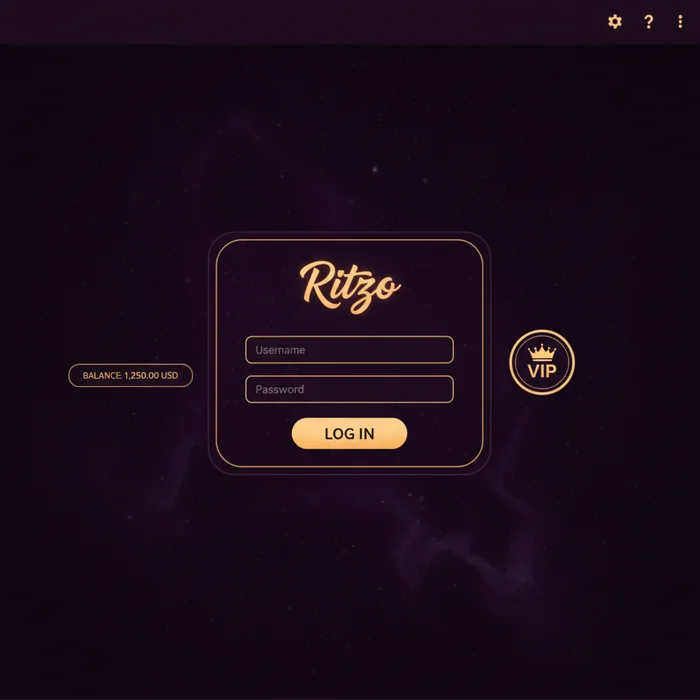
Entering your credentials and accessing your account
The Ritzo login starts at ritzocasinonew.com — you'll find the login button in the top right corner, which takes you directly to the sign-in page. Enter your registered email address and password there. Access to your dashboard typically takes just seconds, as long as your connection is stable.
Once you've successfully logged in, all core features are immediately available: your account balance, the game library with over 6,000 titles from more than 100 software providers, active bonuses, and your transaction history. Our dashboard is structured so you never need more than three clicks to find what you're looking for.
Logging in via desktop browser and mobile devices
Whether you're logging in through Chrome on a laptop or Safari on an iPhone — our platform automatically detects your device and adjusts the interface accordingly. On mobile devices, the page loads in a responsive design optimized for screens as narrow as 320 pixels. Under normal conditions, the login page loads in under two seconds.
For players who regularly play on their smartphones, we recommend checking out our Ritzo App. The app offers an even more direct connection to your account and supports biometric login on compatible devices — meaning fingerprint or face recognition instead of manually typing your password. This saves time while also increasing security.
| Login Method | Availability | Security Level |
|---|---|---|
| Email + Password (Browser) | Desktop & Mobile | Standard |
| Email + Password (App) | iOS & Android | Standard |
| Biometric Login | App (compatible devices) | High |
| Two-Factor Authentication (2FA) | Browser & App | Very High |
| "Stay logged in" feature | Browser (trusted devices) | Medium — personal devices only |
Login issues: Forgot password and account recovery
Resetting your password in a few simple steps
Resetting your Ritzo password is straightforward — provided you have access to your registered email address. Our system typically sends the reset link within 2–5 minutes. If the email doesn't arrive in your inbox, please check your spam folder before repeating the process.
- Open the login page and click "Forgot password."
- Enter the email address you used to register your Ritzo account.
- Open the reset email and click the link inside — it is valid for 60 minutes.
- Set a new password (at least 8 characters; a mix of upper and lowercase letters and a number is recommended), then log in as usual.
If the email still hasn't arrived after 10 minutes, it may be due to filter rules set by your email provider. In that case, please contact our support team directly — we can manually verify your identity and restore access through an alternative method.
What to do if your account is locked or inaccessible?
After 5 consecutive failed login attempts, our system temporarily locks the account for 30 minutes. This is a protective measure against automated attacks — not a punishment. Once the lockout period expires, you can try again or reset your password directly.
In the case of a permanent account suspension — such as for outstanding KYC documents, extended inactivity, or a violation of our terms of service — the right course of action is to contact our customer support team. Include your registered name, email address, and customer number (if available) in your request. Typical processing times for suspension inquiries are 1–3 business days.
Account security after login: Protecting your personal data
Choosing a strong password and keeping it up to date
A strong password is your Ritzo account's first line of defense. We recommend a minimum length of 12 characters, combining letters, numbers, and special characters. Avoid obvious combinations like birthdays or your pet's name — these are the first guesses in targeted attacks.
Our system stores passwords exclusively in encrypted form — no employee has access to your plain-text password. Even so, we recommend updating your password every 3–6 months, especially if you use the same password on other platforms. Password managers like Bitwarden or 1Password are a convenient solution for managing strong, unique passwords.
- At least 12 characters, mixed character types
- Don't reuse a password you use elsewhere
- Enable 2FA — especially with higher account balances
- Always log out on shared devices
- Never share your login credentials via email or chat
Recognizing and reporting suspicious account activity
Our system logs every login event with a timestamp and device information. If you see a login in your account under "Security" or "Account History" that you didn't perform yourself, act immediately: change your password, enable 2FA (if not already active), and contact our support team.
Typical warning signs include: unknown transactions in your withdrawal history, contact details that have been changed without your knowledge, or email notifications about actions you didn't initiate. We take such reports seriously — in the event of confirmed unauthorized access, we immediately lock the account and launch an internal investigation.
Session management and automatic logout at Ritzo
How long does a login session stay active?
Our session duration is deliberately calibrated to balance convenience and security. An active session remains open indefinitely during continuous use. After 30 minutes of inactivity, the session is automatically ended and you are redirected to the login page. This protects your account in case you forget to log out on a shared device.
If you enable the "Stay logged in" option, the session duration on trusted devices extends to up to 7 days. We recommend this option exclusively on your personal device — never on a work computer, a device at an internet café, or a borrowed smartphone.
Using multiple devices simultaneously: What's allowed?
You can be logged into your Ritzo account on multiple devices at the same time — for example, on your desktop and your smartphone. What is not permitted: operating multiple accounts or sharing your account with another person. Our systems detect unusual patterns with simultaneous sessions from different geographic regions and may request verification in such cases.
For players who switch between devices, our platform is fully state-synchronized — your account balance, active bonuses, and game history are identical across all devices in real time. There is no delay between making a deposit on desktop and seeing the updated balance on your mobile device.
| Scenario | Permitted | Note |
|---|---|---|
| Desktop + smartphone simultaneously | ✓ Yes | Same person, same account |
| Sharing account with a family member | ✗ No | Violates the terms of service |
| Login from abroad | ✓ Yes (depending on country) | Verification may be required |
| Multiple accounts for one person | ✗ No | Results in suspension of all accounts |
Ritzo Casino has been operating since 2026 and holds a license from the Curaçao e-Gaming Authority. This license requires us to meet defined security standards in handling customer data — session management is a direct part of these requirements. If you don't have an account yet, you can sign up directly on our registration page and claim the welcome bonus.
Your next steps:
- Log in to your account at ritzocasinonew.com/connect.
- Enable 2FA in your account settings under "Security."
- Review your recent login activity for any unfamiliar entries.
- Download the Ritzo App to use biometric login.